Create Bank Transfers and Account
Create Account
Attention
The accounts created do not directly connect with your bank account.
They are solely for internal application purposes and record-keeping.
-
Login to your GstBillBooks(https://gstbillbooks.com/) application account.
-
Choose Banking -> Account on the left side menu.
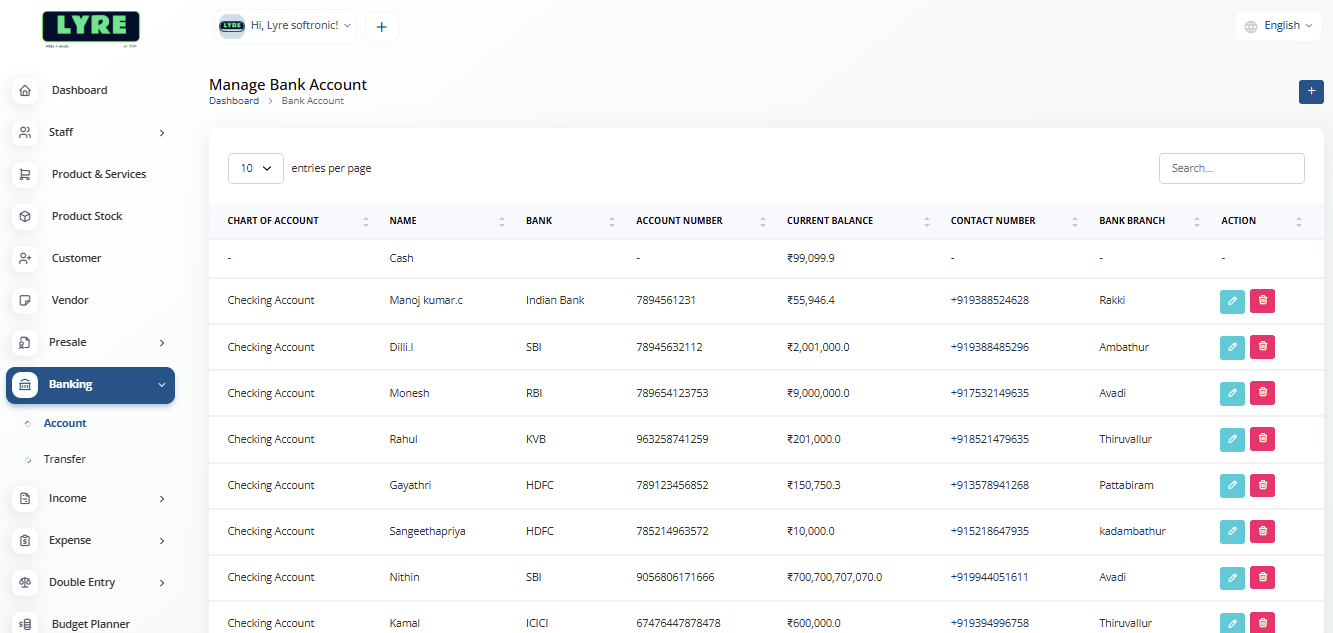
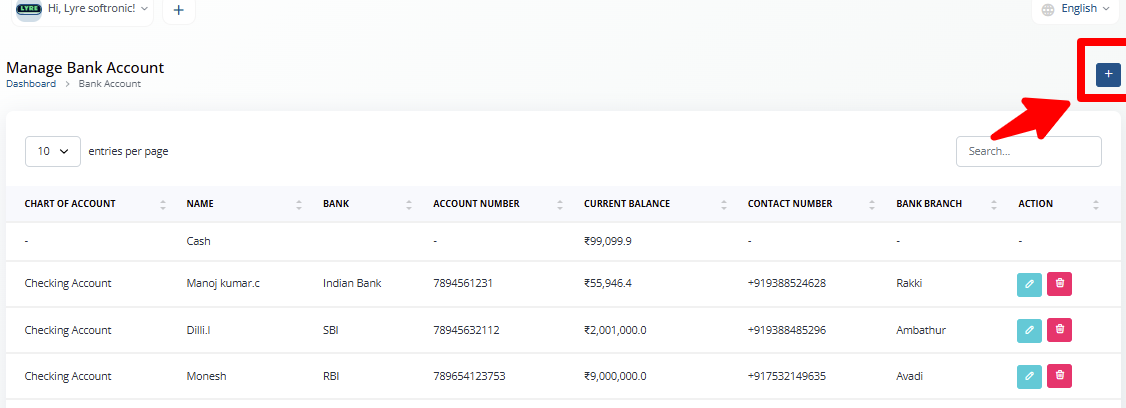
- Click on the '+' plus button on top right side to create.
- On the create page you can fill in the details mentioned.
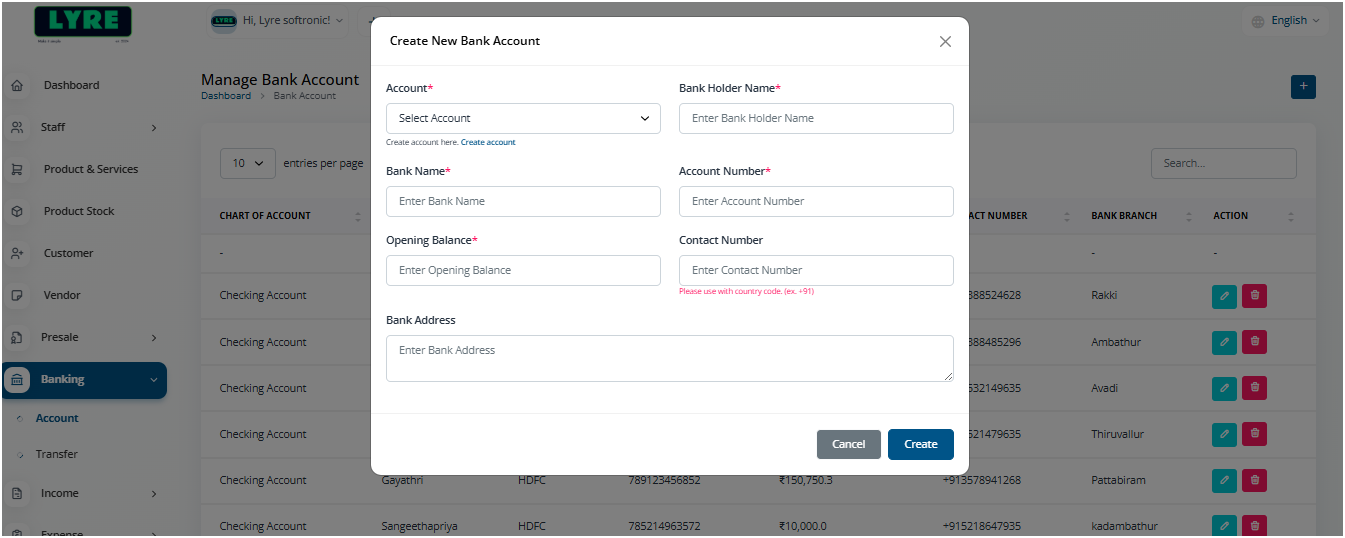
- Once done you can click Create.
Create Transfer.
- Choose Banking -> Transfer on the left side menu of the application.
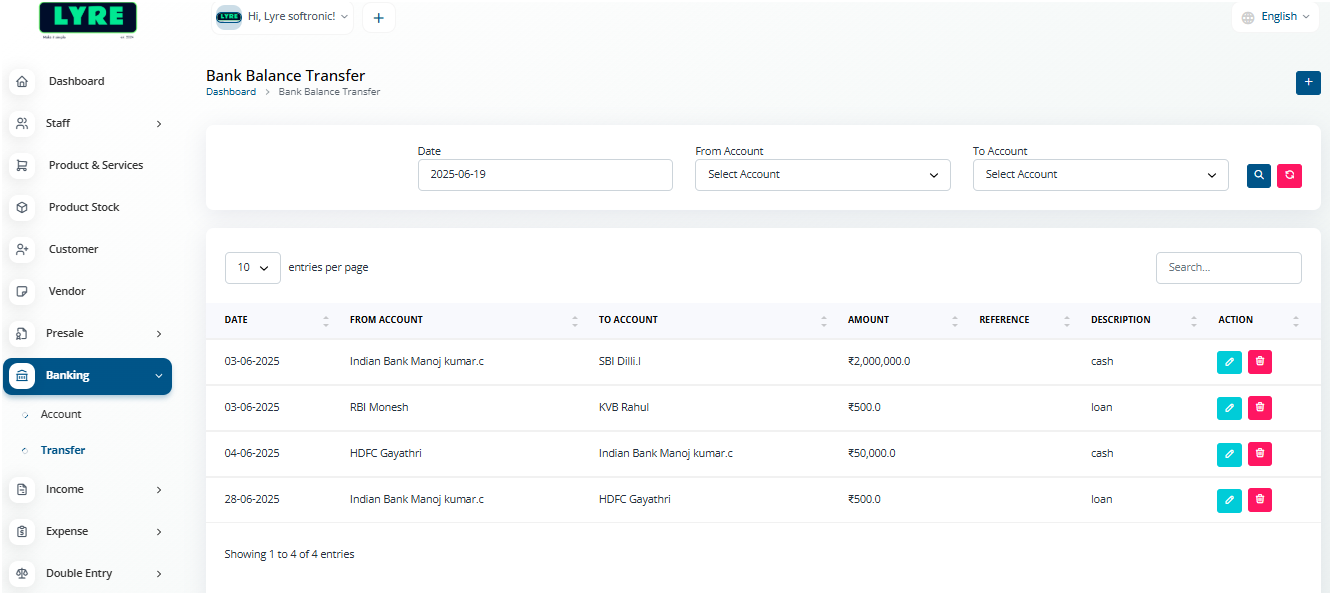
- Click on the '+' plus button on top right side to create.
- On the create page you can fill in the details mentioned and the amount to record transfer.
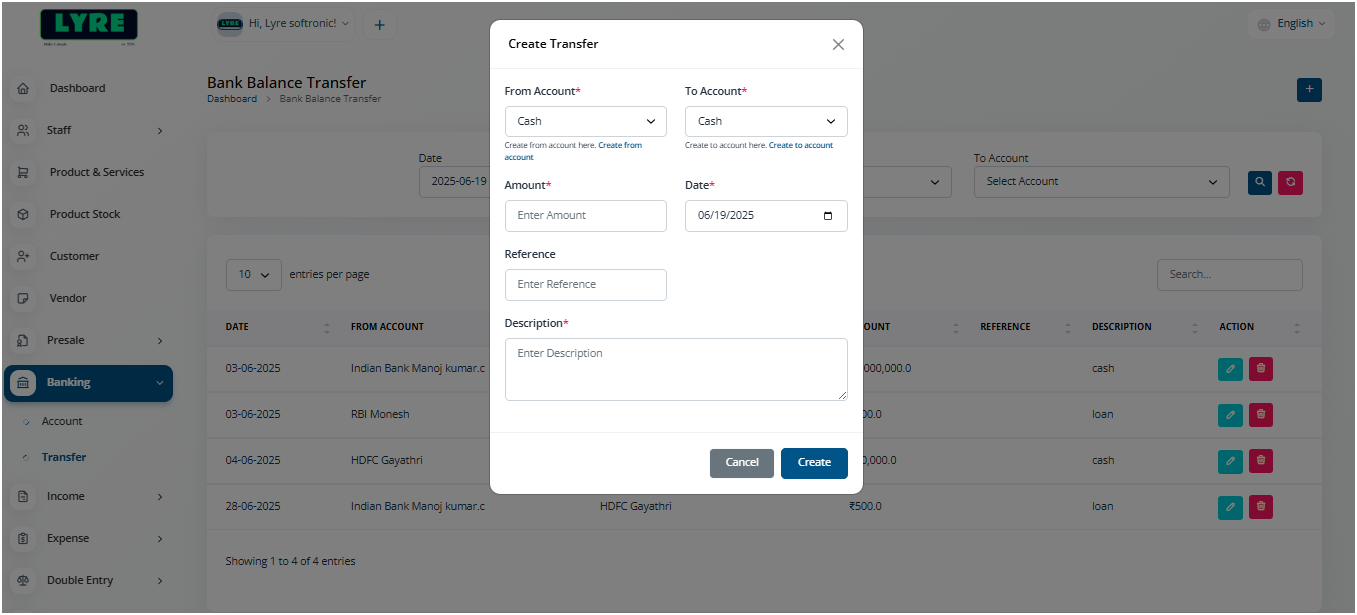
- Once the transfer is created, you can click on Banking -> Account on the let side and verify the transfer on the account list and their balance.