Create Bill and Bill Payment
Create Bill
-
Login to your GstBillBooks(https://gstbillbooks.com/) application account.
-
Choose Expense -> Bill on the left side menu.
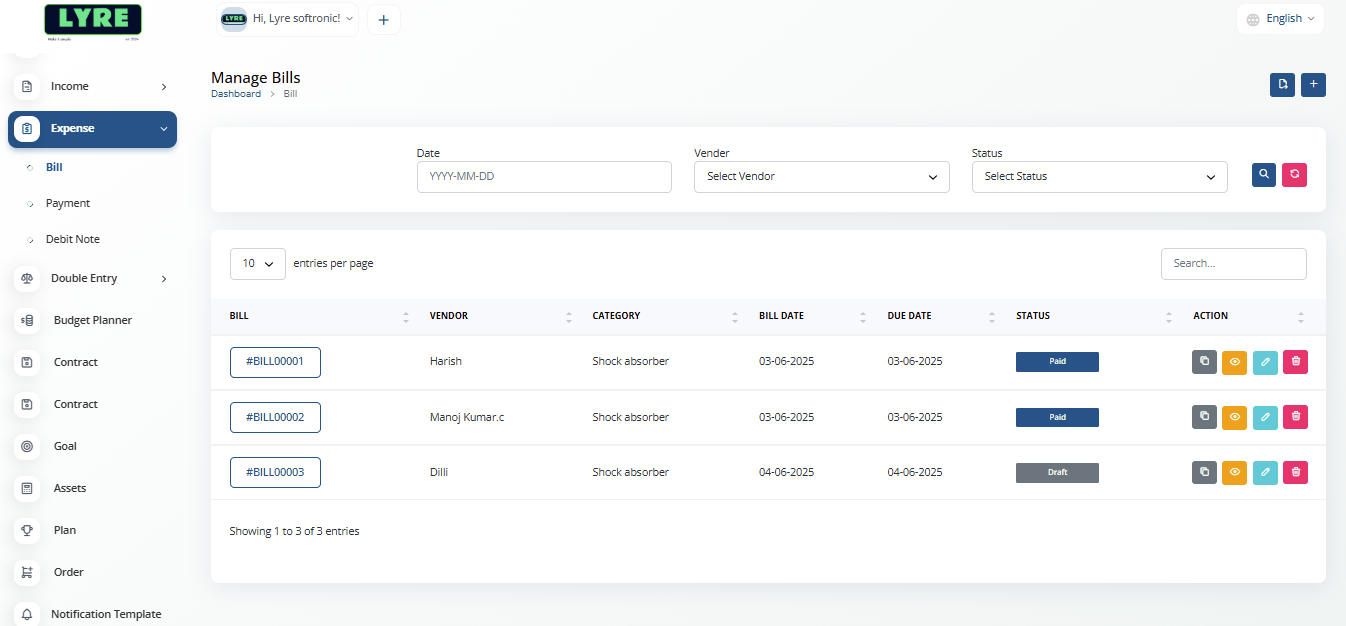
- Click on the '+' plus button on top right side to create.
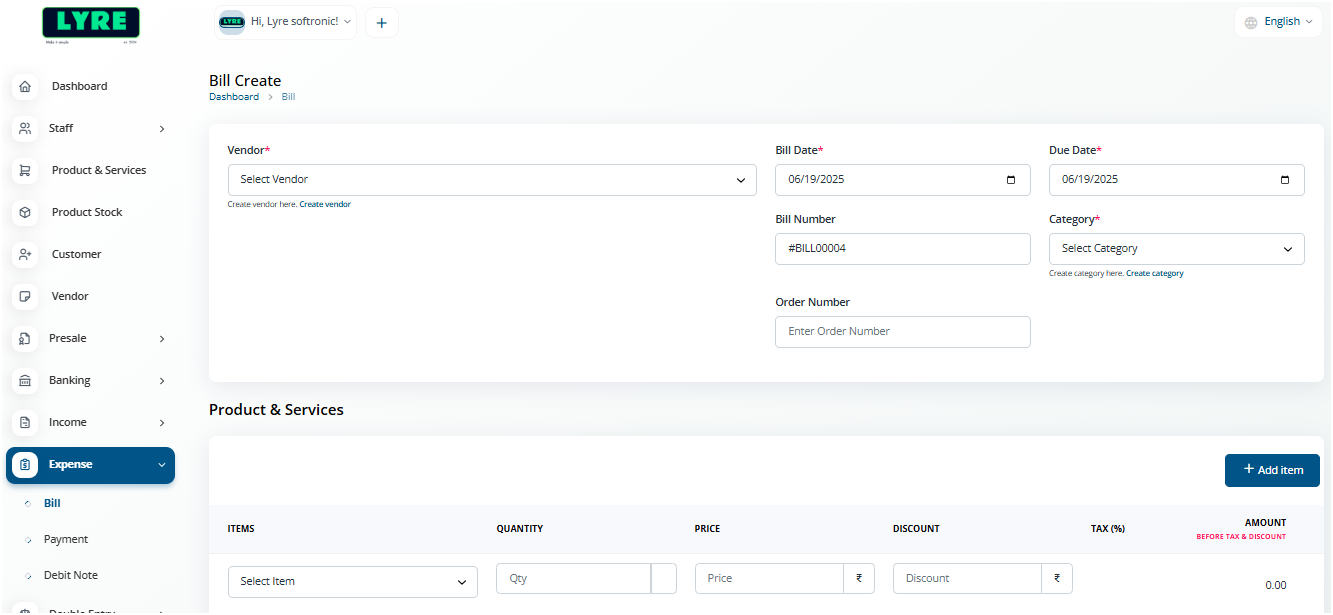
- Fill the vendor details, date, category.
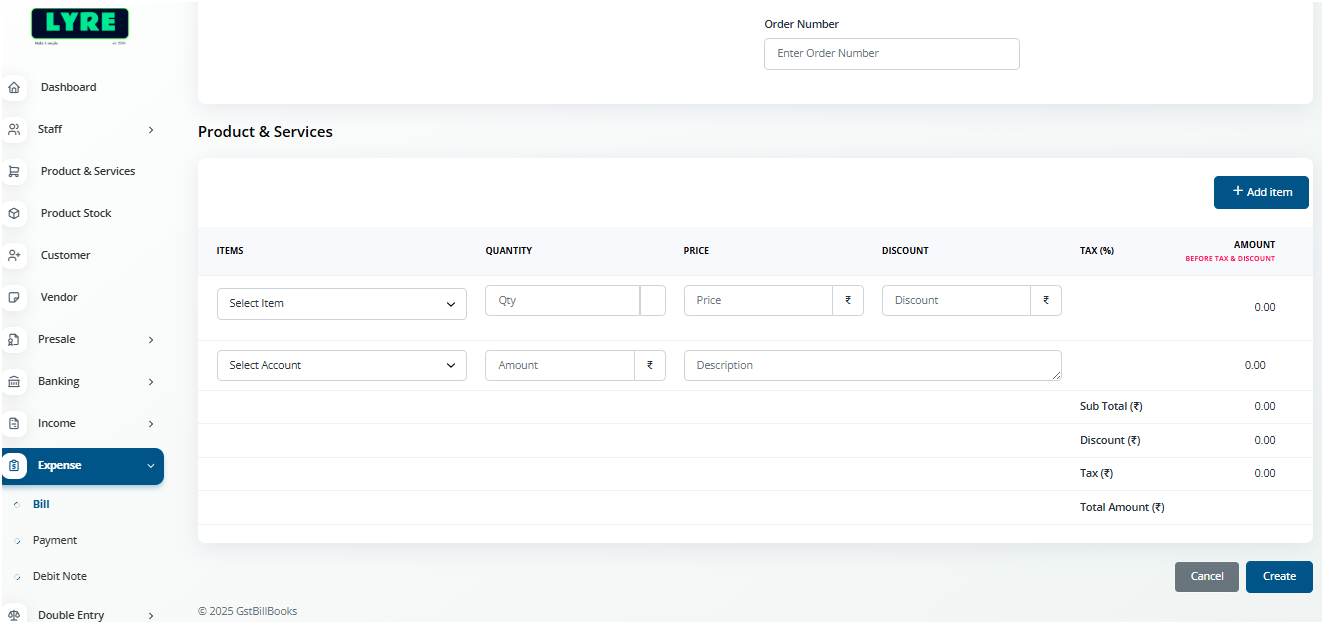
- Add product using Add Item button and you can add quantity of purchase or numbers to mention the expense.
-
Once done click Create and your Bill is created.
-
Open the created Bill and click Send and add payemnt receipt to close the bill.
Create Debit Note
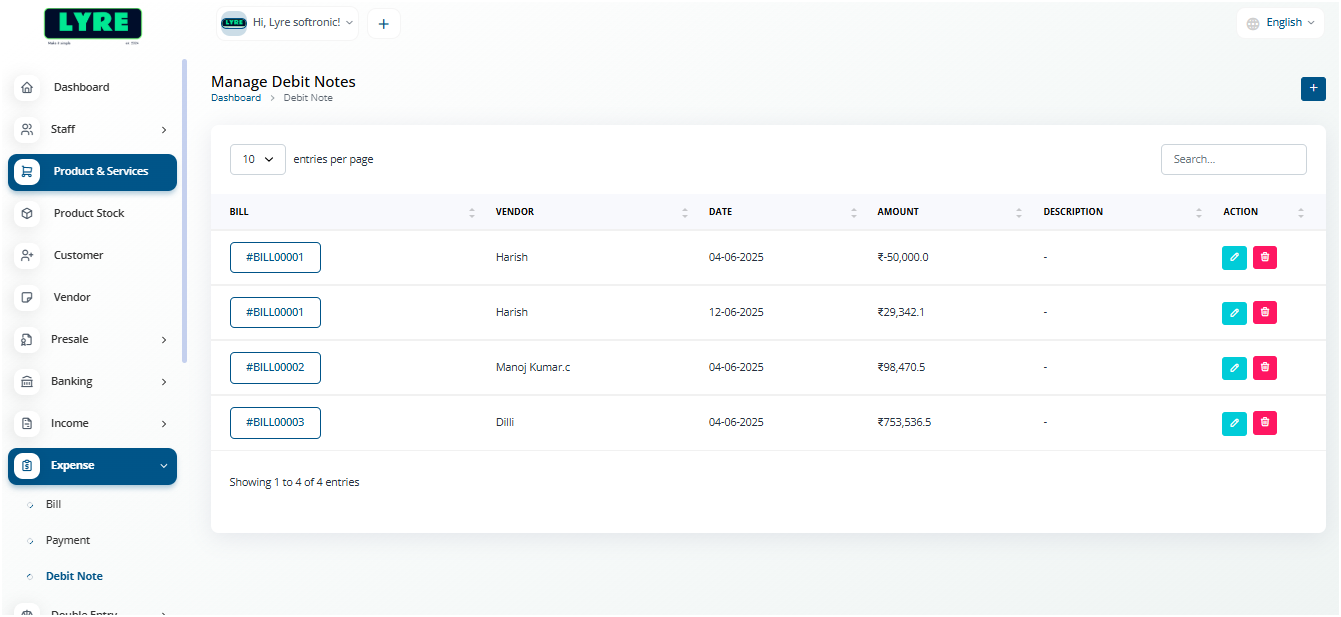
- Choose Expense -> Debit Note on the left side menu.
-
Click on the '+' plus button on top right side to create.
-
On the pop up window choose the Bill on which you want to create Debit Note and choose the date and add description.
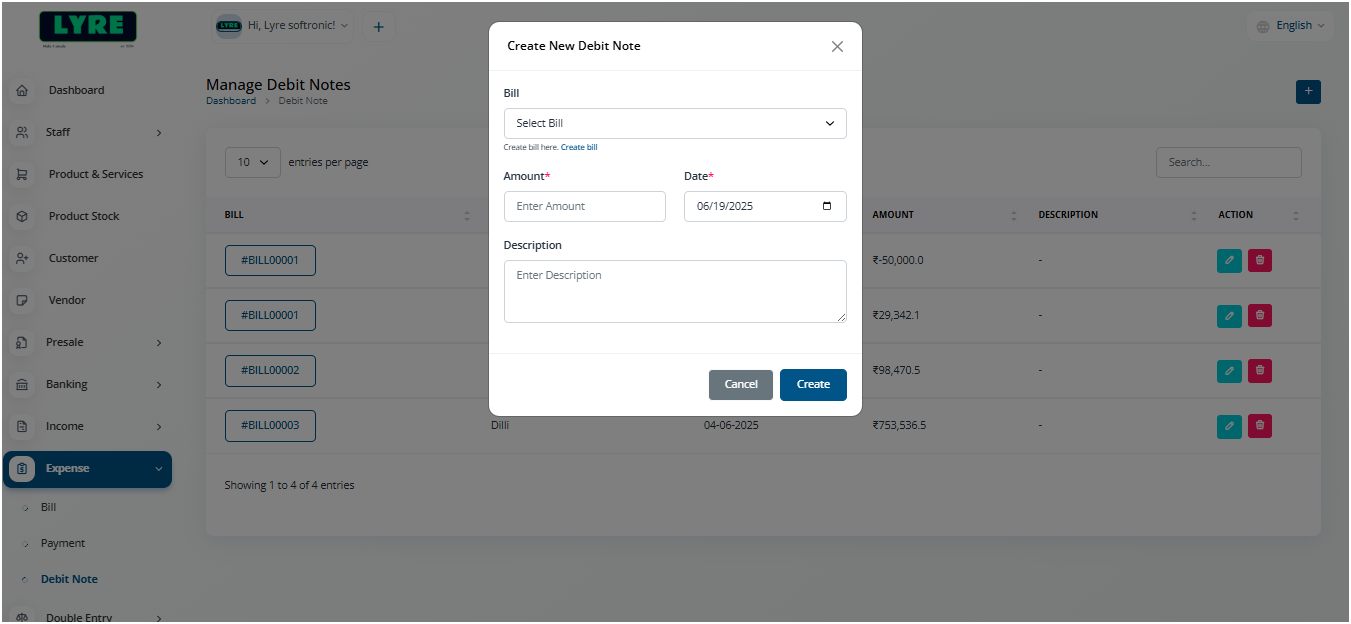
- Once done click on Create.
Note
You can change the amount when you create Debit Note.